 Kinnetly
Record the introducer and the date
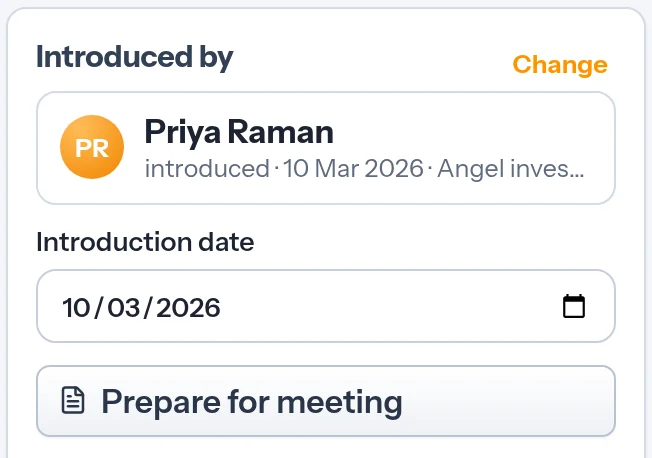
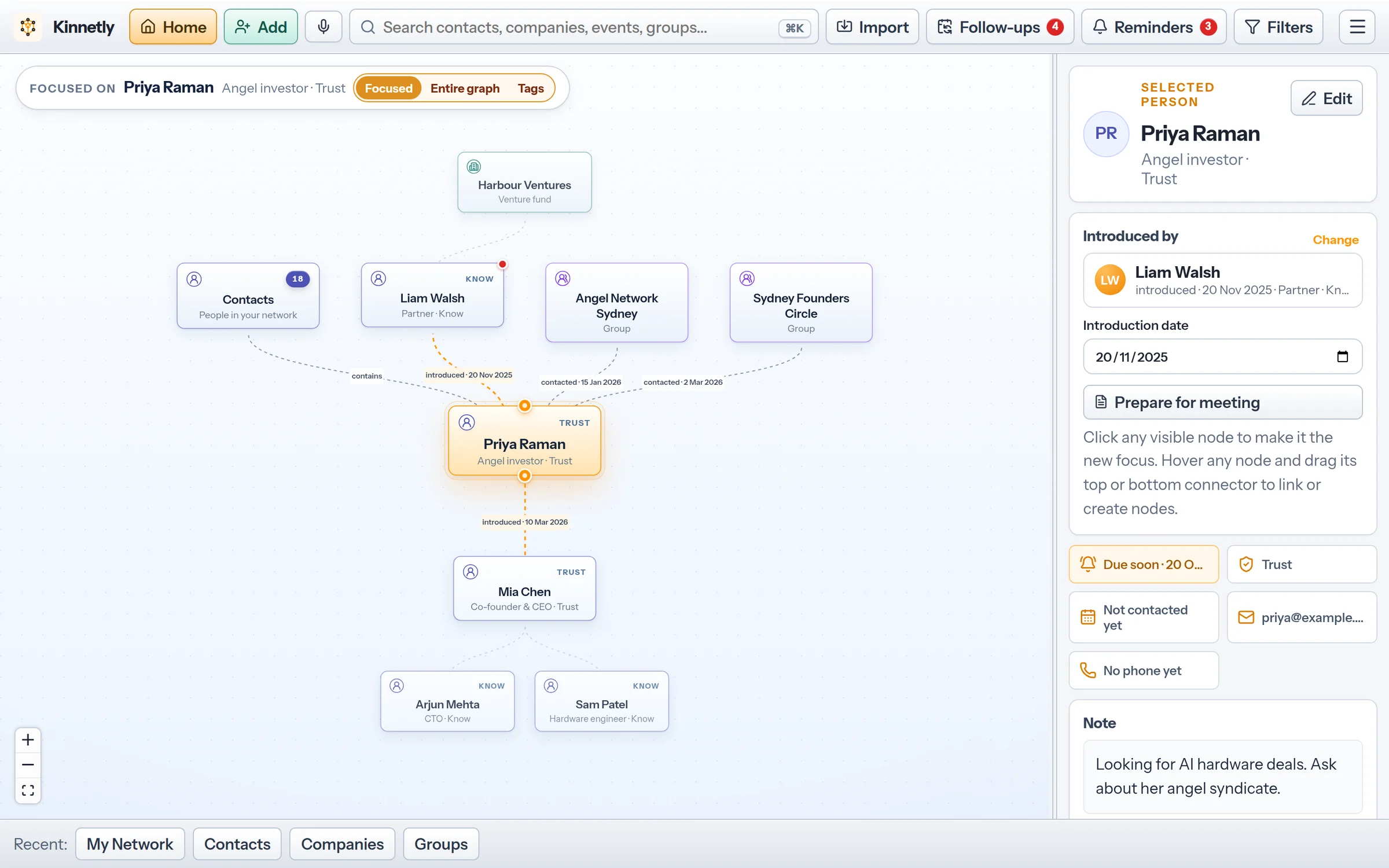
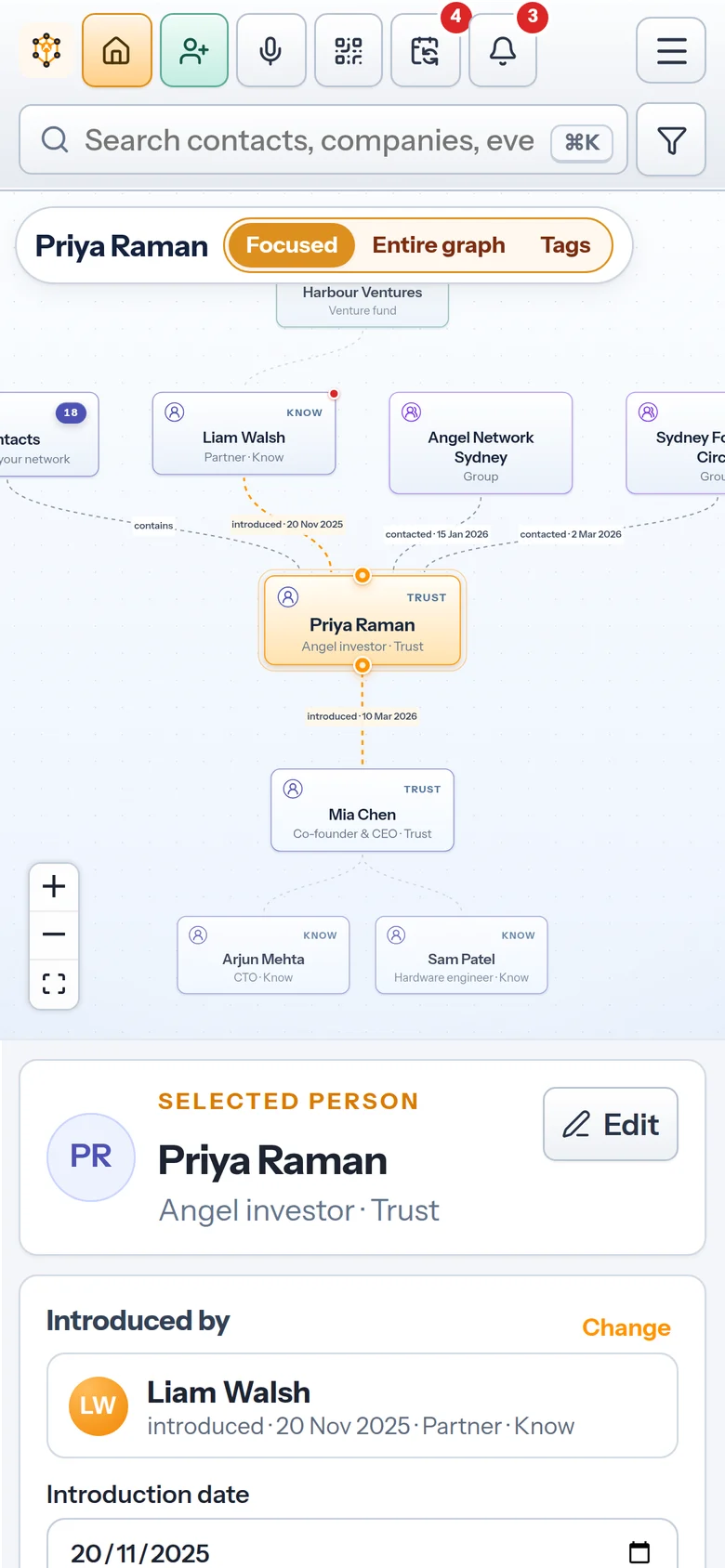
Drag a link from the person who introduced you to the new contact, or create the new contact straight from that link. The line reads "introduced" with the date, which defaults to today and can be edited later.
Kinnetly / Introduction tracking
Introduction tracking is keeping a dated record of who introduced you to whom. Over time it becomes your introduction history: the people behind each relationship, which shows who your connectors are and how you came to know everyone on your map.
How it works
Drag a link from the person who introduced you to the new contact, or create the new contact straight from that link. The line reads "introduced" with the date, which defaults to today and can be edited later.
Each contact shows who introduced them and when, and one click jumps to the introducer. The contacts list has an Introduced by column, so you can see your connectors at a glance.
A contact can have several parents, such as the person who introduced you and the company they work for, while one stays the primary "introduced by".
Link someone to the event where you met, the company they work for or a group you share. That context sits alongside the person-to-person introduction record rather than replacing it.
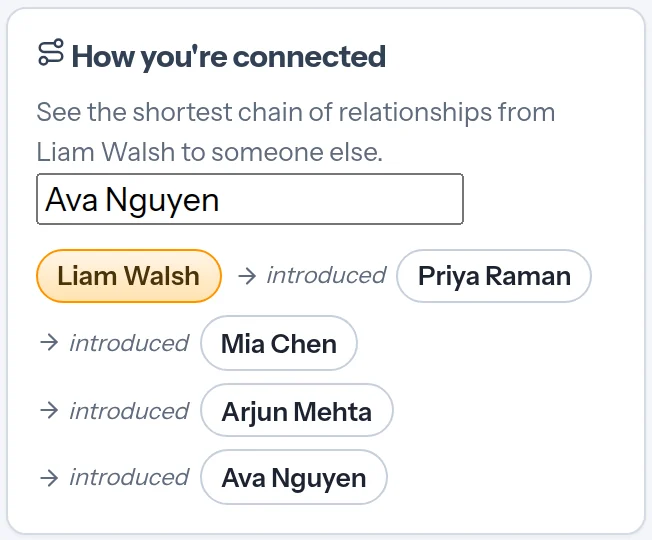
Open anyone on your map, pick a second person who is also on it, and Kinnetly shows the shortest chain between them, step by step, through the introductions, companies, events and groups you have recorded.
Keep the reason for the introduction in the person's notes or activity log, and record the introductions each contact is looking for in their ideal referrals.
Good practice
Seeing that two people are connected on your map does not mean either has agreed to an introduction. Use the chain to decide whom to ask, then ask.
Log a note or set a reminder to thank the person who introduced you and tell them how it went. It is how introducers learn that their introduction mattered. For a practical three-person follow-up, see After a warm introduction, close two loops.
When someone changes company or leaves a group, mark the old link as former. The person who introduced you always stays the introducer.
In the app
Real screens from the app with a sample network.
Boundaries
Your introduction history is a private record. It is not a referral network.
Kinnetly only shows connections between people already on your map. It does not suggest people you do not know.
Recording an introduction is private. The introducer and the person introduced are not told, and nobody else can see your map.
Kinnetly does not email or message anyone. You make the introduction yourself, in whatever way suits the people involved.
Kinnetly only shows the links you record. It does not infer who knows whom from your inbox, calendar or social networks.
Keep reading
FAQ
Introduction tracking is recording who introduced you to each person and when. In Kinnetly it shows on every contact and as dated lines on your relationship map.
Drag a link from the introducer to the person on your map, or create the new contact from that link. You can set or change the introduction date in the person's Introduced by card.
Yes. A contact can have several parents, such as the person who introduced you and the company they work for, while one stays the primary "introduced by" shown on their details.
No. Kinnetly only shows the relationship paths you have recorded between people already on your map.
No. Your map is private to your account, and Kinnetly does not notify or message anyone.
No. You record introductions yourself; Kinnetly does not read your email, calendar or social networks.
Add the people who matter and the person who introduced each one. Kinnetly shows the history on every contact.
Get started free