 Kinnetly
Four kinds of node
People, companies, events and groups each have their own node, all hanging off My Network at the centre of your map. Every node keeps its own details, notes and photo or logo.
Kinnetly / Relationship mapping
A relationship map is a picture of your network in which each person, company, event or group is a node and each line is a real relationship, such as who introduced whom or who works where. Unlike a contact list, it shows how people are connected as well as who they are.
How it works
People, companies, events and groups each have their own node, all hanging off My Network at the centre of your map. Every node keeps its own details, notes and photo or logo.
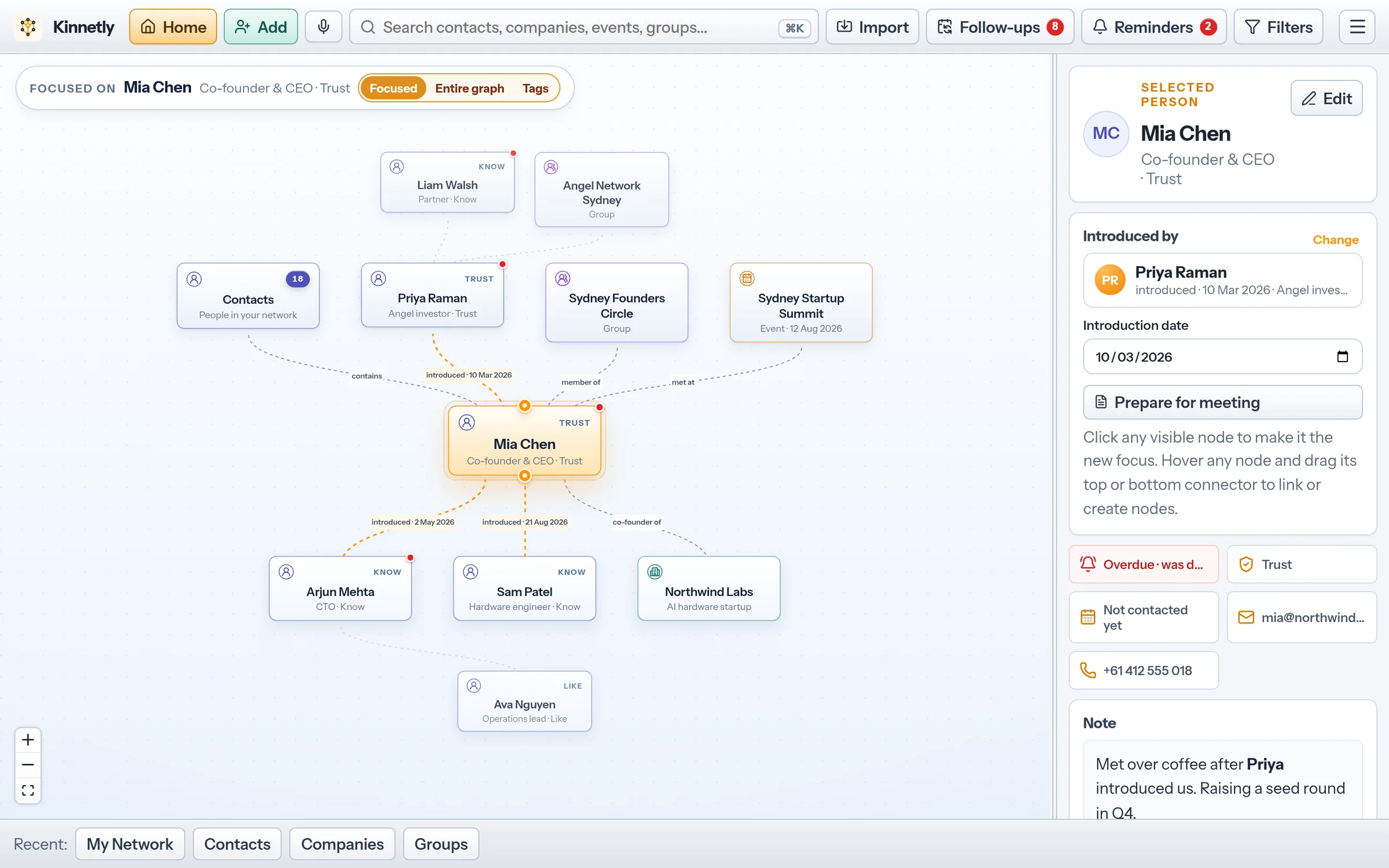
Each line is labelled with the relationship: introduced when a person introduced you, contacted when you met through a company, event or group, and works at for an employer. Introduced and contacted lines show the date you record.
The map reads top to bottom. The person who introduced someone, the company they work at and the event where you met sit above them, and the people they introduced sit below.
When someone leaves a company or a group, mark the link as former. It is drawn dimmed and dotted, with the date they left if you add one, so the history stays without cluttering the present.
Hover a node and drag from the dot above it to add a parent, or from the dot below it to add a child. You can link to an existing node or create a new one on the spot.
Open anyone on your map, pick a second person, and Kinnetly shows the shortest chain of relationships between them, through the introductions, companies, events and groups you have recorded. Introduction tracking →
Views
One person, company, event or group in the middle, with its connections two levels out. Click any node to make it the new focus and follow your network one step at a time.
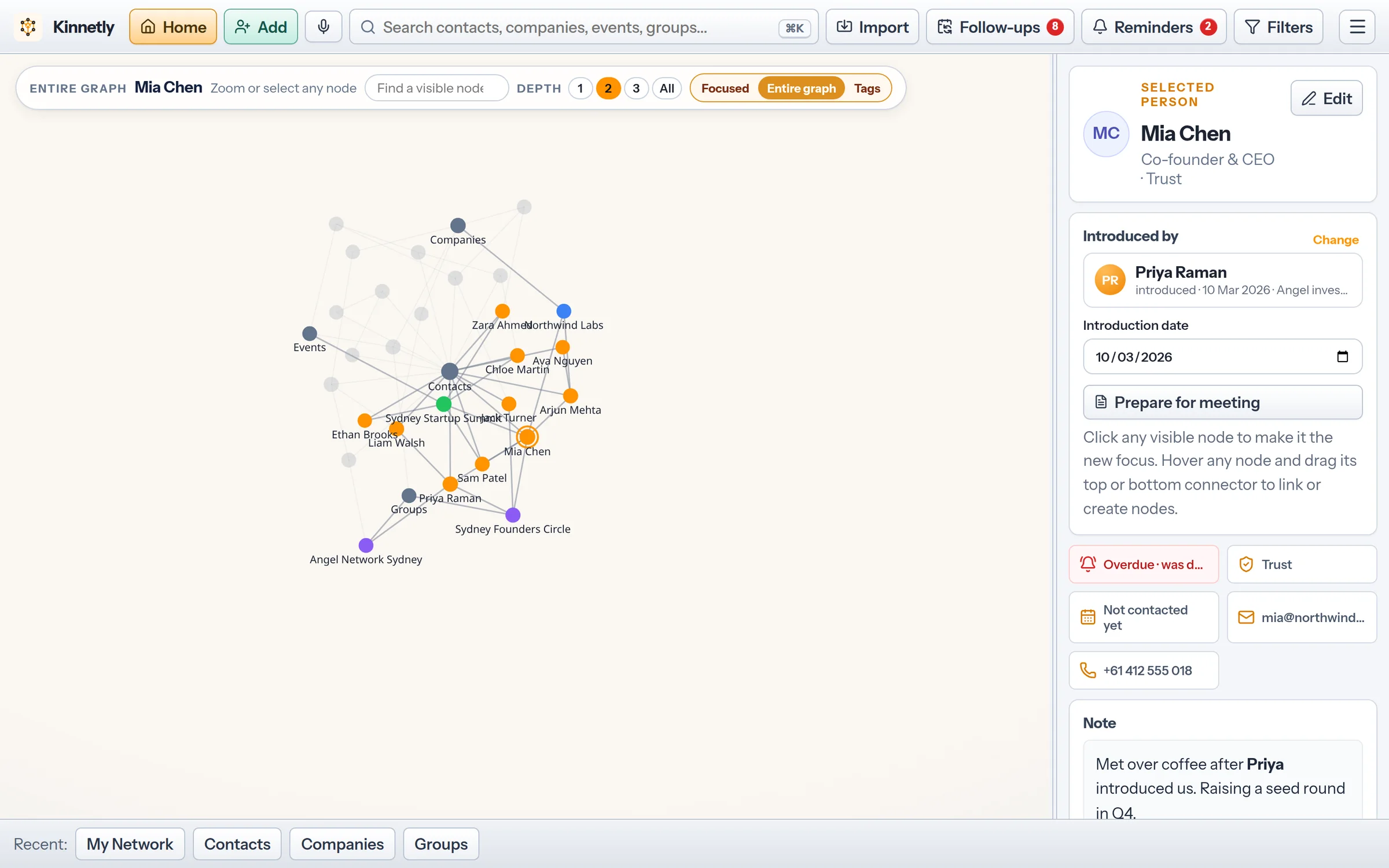
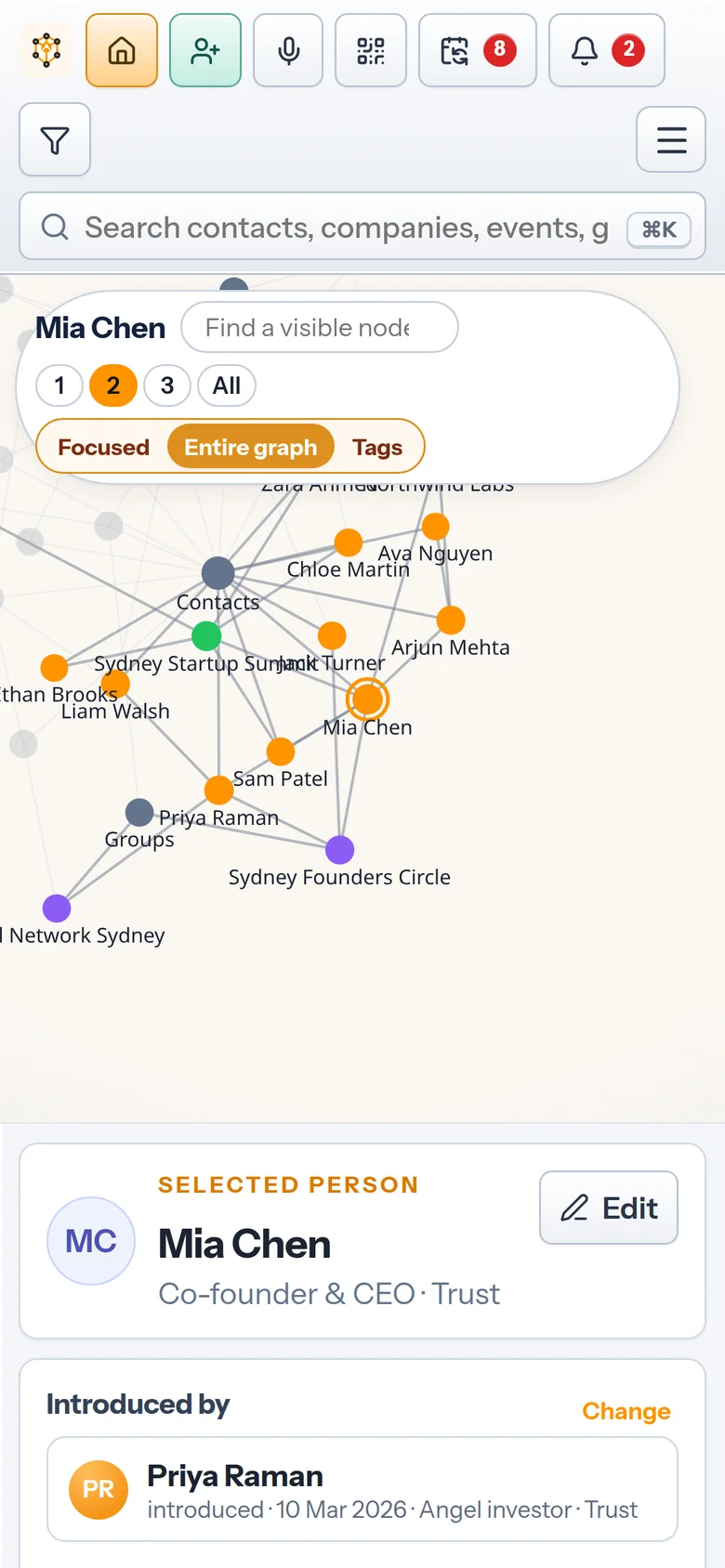
The whole network at once, coloured by node kind. Highlight a name and choose how many steps out its connections light up. Personal relationship graph →
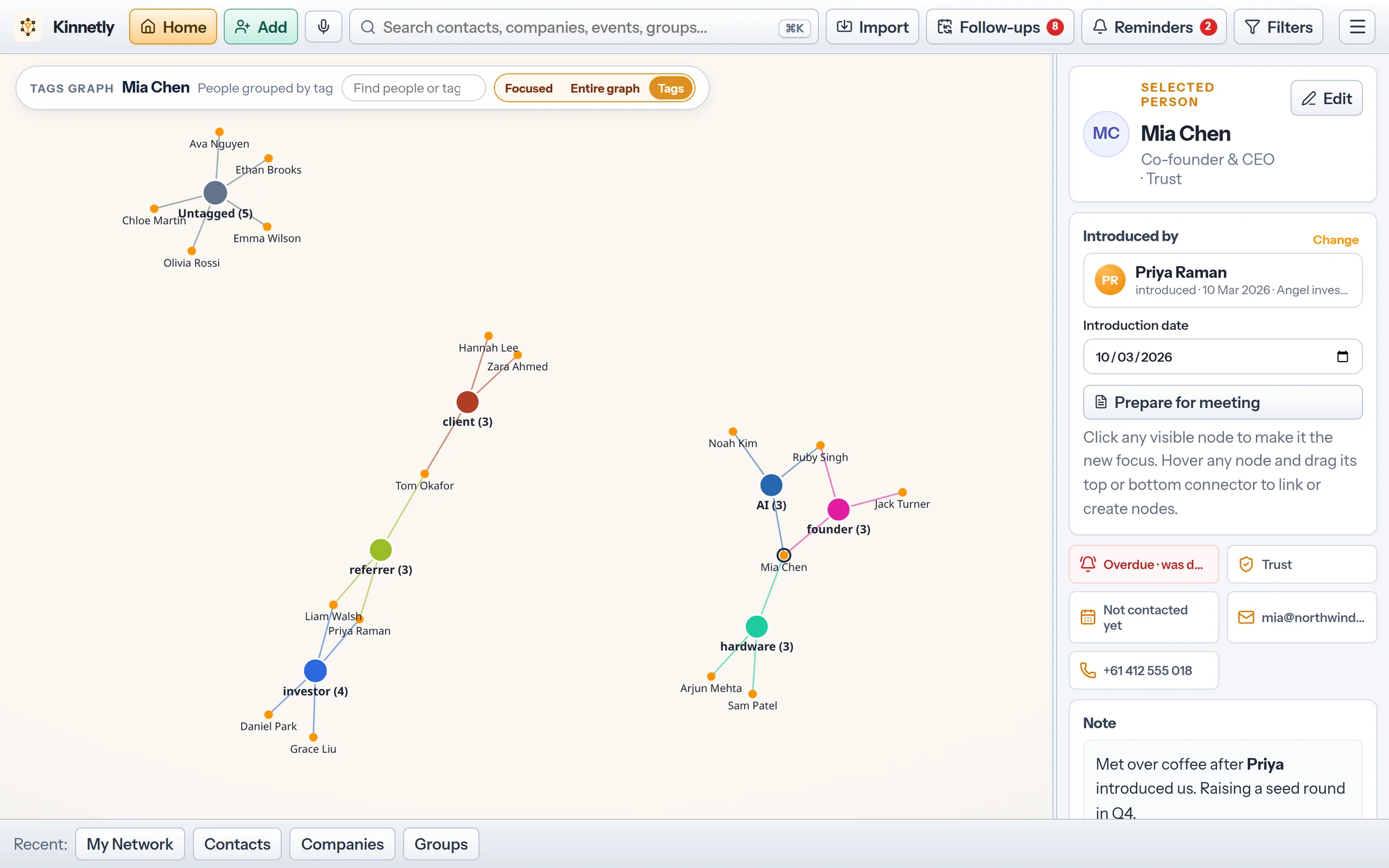
Everyone regrouped by the tags you give them, such as investor, client or hardware. People with more than one tag sit between their groups, which shows where your circles overlap.
Comparisons
A contact list stores each person on their own. A relationship map also stores how people are linked, so you can see who introduced whom and which company or group ties people together.
A diagram is a one-off drawing. In Kinnetly every node is a real record with notes, activity and reminders, and the map updates as you add people.
Account-mapping tools chart buyers inside a target company for a sales team. Kinnetly maps your own network for you alone, and it does not score relationships or suggest whom to contact.
In the app
Real screens from the app with a sample network.
Boundaries
Your map shows what you have recorded, and nothing else.
Kinnetly does not infer who knows whom from your inbox, calendar or social networks. Every line is one you added.
Kinnetly does not rate people or rank relationships. You can mark each contact Know, Like or Trust yourself.
It is not built to chart a company's hierarchy or a sales team's target accounts. It maps your own relationships.
Your map is private to your account. Nobody on it can see it or is told they are on it.
Keep reading
FAQ
Relationship mapping is drawing your network as connected nodes: people, companies, events and groups, joined by the relationships between them. It shows how people are connected, not only who they are.
Look for a tool built for one person rather than a sales team, with real relationship labels, a private account and export. Kinnetly is built for that, and the Free plan needs no credit card.
Yes. The entire graph shows every node at once on desktop and on your phone. The focused view shows one node and its connections two levels out.
No. You add people and links yourself, or import contacts from a CSV or vCard file and link them on the map. Kinnetly does not read your email, calendar or social networks.
Yes. Mark the link as former and, if you like, add the date they left. The line stays on the map, dimmed and dotted.
Yes. A JSON backup holds your whole map, including links, notes and activity, and you can export contacts, companies, events and groups as CSV or vCard.
Add the people who matter, then link them to each other and to the places you met.
Get started free