 Kinnetly
Your connectors
People who have introduced you to several others have more visible relationship lines, making your connectors easier to recognise. The contacts list has an Introduced by column that shows the same thing as a list.
Kinnetly / Personal relationship graph
A personal relationship graph is a picture of one person's network: people, companies, events and groups as nodes, and the relationships between them as links. It is not a social network or a sales database. It is your own record of how you know everyone, drawn so you can read it at a glance.
What it shows
People who have introduced you to several others have more visible relationship lines, making your connectors easier to recognise. The contacts list has an Introduced by column that shows the same thing as a list.
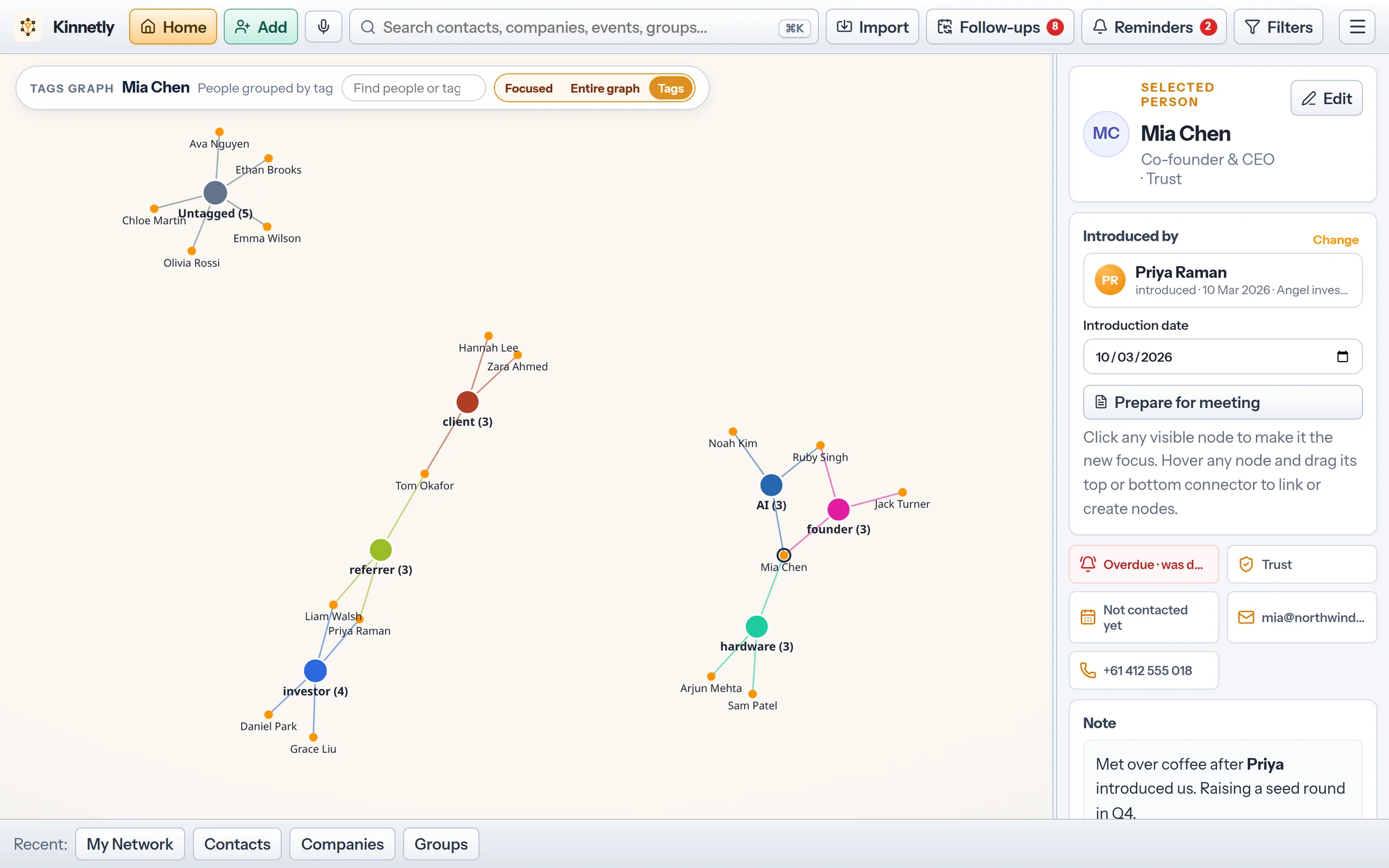
People from the same company, event or group tend to gather together, so the shape of your network shows its circles: a former employer, an alumni group, the conference where you met half your investors.
A person linked to two groups tends to sit between them. Those are often the people who can bring two parts of your life together.
Parts of the graph with few links show where your network is thin. For relationships that have gone quiet, the dormant view lists the people you have not contacted for a while.
In Kinnetly
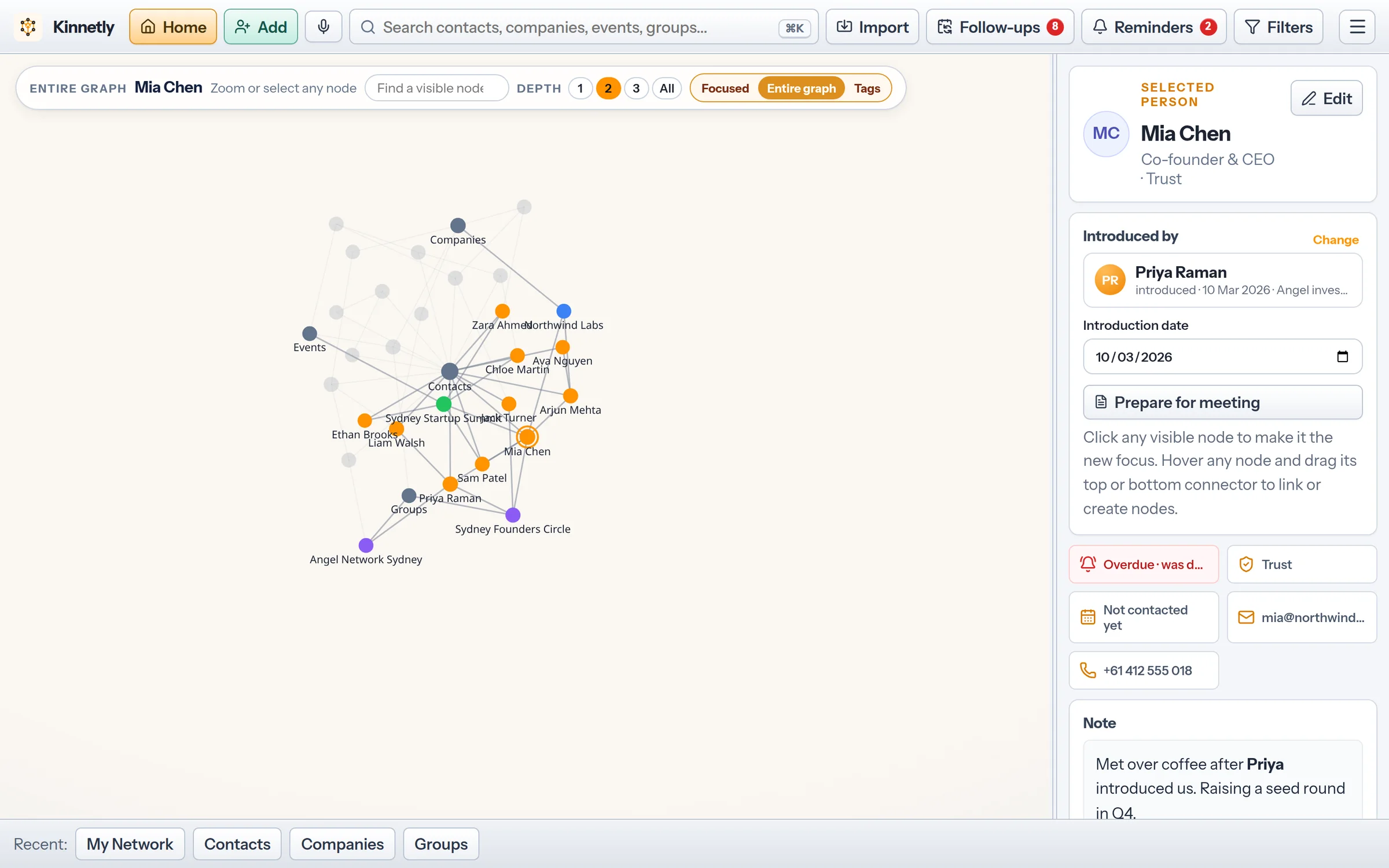
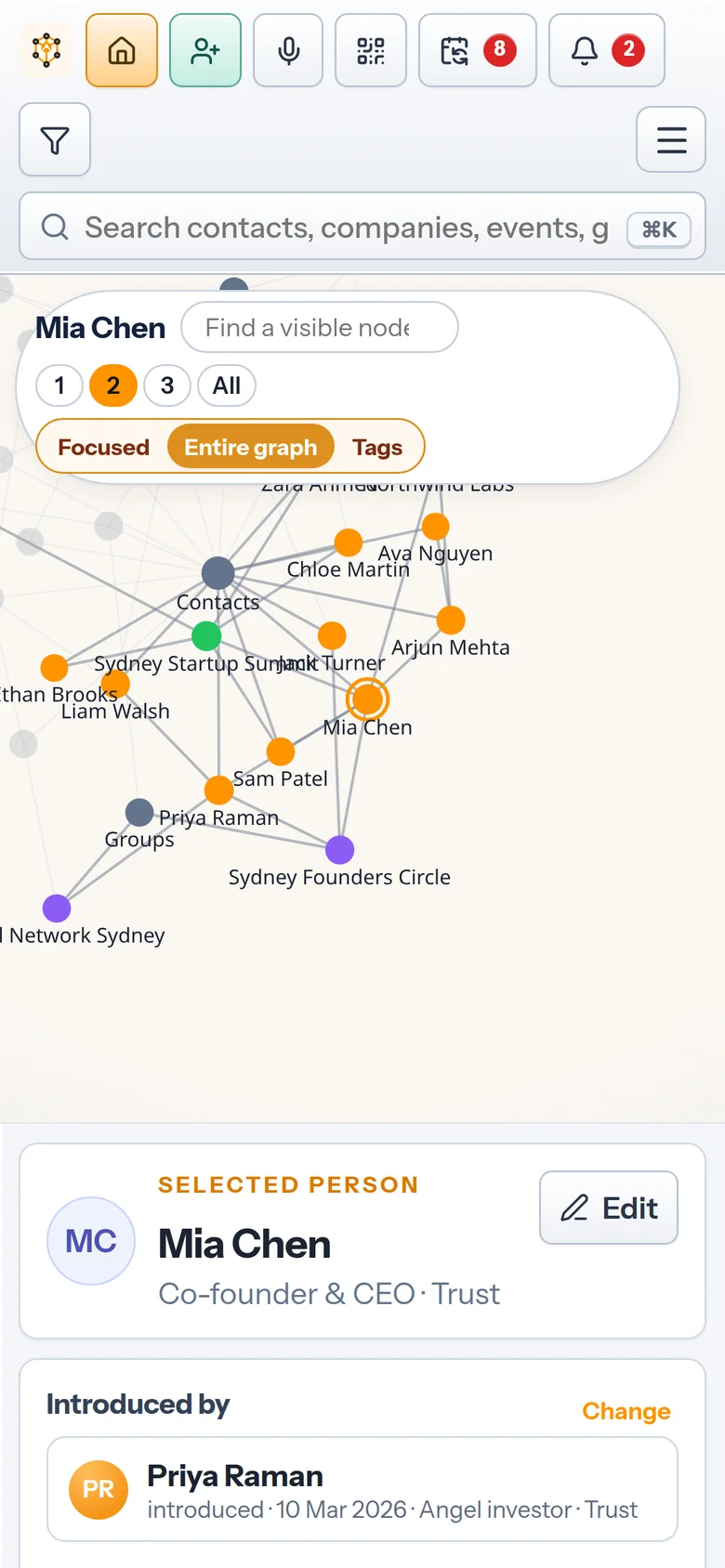
Open the entire graph to see your whole network at once as a live, force-directed map. Drag nodes, pinch or scroll to zoom, and tap any node to zoom to it and its connections.
People, companies, events and groups each have their own colour, so you can tell a cluster of colleagues from a cluster of event contacts without reading every label.
Type a name to highlight it, select a node, and set how many steps out its connections light up: one, two, three or all. One step shows direct ties; three shows a person's wider circle.
Every line on the graph comes from what you record: an introduction, an employer, an event or a group. Nothing is inferred from your inbox, calendar or social accounts. Relationship mapping →
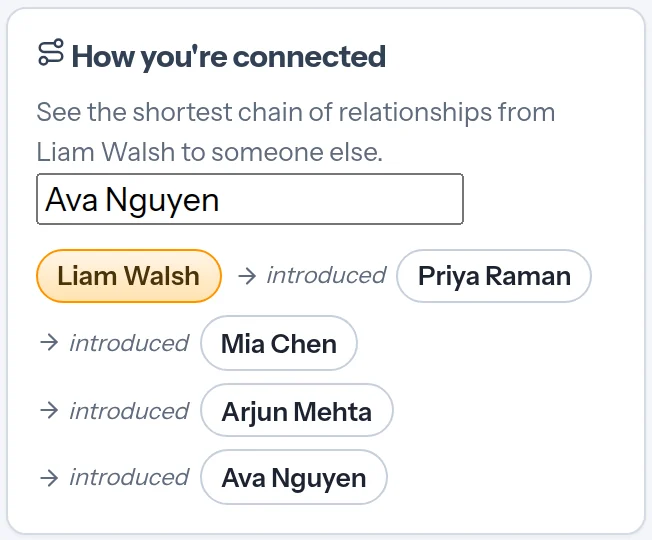
Open anyone and pick a second person, and Kinnetly shows the shortest chain of relationships between them, step by step. Introduction tracking →
Not to be confused with
"Relationship graph" means different things in different fields. This page is about the people you know.
In maths and computer science, a relationship graph is any set of nodes and edges, and graph databases store data that way. Kinnetly uses the same idea, but you never need to think about it.
A social network's graph is built from public connections and shared with the platform. A personal relationship graph is private, and it records how you actually know someone.
Sales tools chart the people inside a target account for a team. A personal relationship graph covers your own network, for you alone.
In the app
Real screens from the app with a sample network.
Boundaries
The graph shows what you recorded. It does not judge it.
Kinnetly does not calculate influence, rank people or score how strong a relationship is. You can mark each contact Know, Like or Trust yourself.
Kinnetly does not guess who knows whom from your email, calendar or social networks.
The graph contains only the people, companies, events, groups and relationships you add. It does not suggest people you do not know.
Your graph is visible only to your account, and nobody on it is notified.
Keep reading
FAQ
It is a picture of your own network, with people, companies, events and groups as nodes and your real relationships as the lines between them. It shows how everyone you know is connected.
They describe the same thing from two angles. In Kinnetly, the map is the focused, step-by-step view, and the entire graph shows the whole network at once.
Yes. The entire graph shows every node at once, on desktop and on your phone, coloured by kind.
No. It draws the links you record and finds the shortest chain between two people when you ask. It does not score people or relationships.
No. You add people and link them, and Kinnetly draws the graph for you.
Add the people who matter and link them. Your personal relationship graph grows as you add people, context and the relationships between them.
Get started free